Connecting AI to WordPress changes the risk profile immediately. A chat box can produce a bad draft; a connected workflow can touch live business assets. The answer is not to block AI from the CMS, but to decide exactly what it may draft, suggest, edit, publish, delete, upload, or change before any connection exists.
The useful shift is not that AI can write blog posts. The shift is that AI-assisted tools can be placed closer to the systems where business content lives. That creates speed, but only if permissions, review steps, rollback rules, and content ownership are designed first.
The real shift: AI is moving from assistant to actor
The hard part was never getting AI to produce text. The harder operating question is what happens when AI sits near the system that holds pages, media, metadata, links, and publishing decisions.
When AI stays outside the CMS, the workflow has natural friction. A human asks, reviews, copies, edits, and publishes. That friction can feel slow, but it also creates control points. When AI is connected to a CMS workflow, some of that friction can disappear. That is where preparation gets faster, and where mistakes can travel faster too.
For example, asking a model to draft an article outline is low-risk if no private data is included. Asking an AI-assisted workflow to update an existing service page, change internal links, upload media, adjust metadata, and publish the page is a different operating decision. That second workflow needs permissions, approval rules, logs, rollback planning, and ownership.
The operator question is simple: what actions should AI be allowed to take without a human, and which actions must stop at review?
That question belongs inside Business Systems & Operations, not inside a prompt debate. The prompt can be clean and the workflow can still be dangerous.
Why CMS access is different from normal AI content work
A connected CMS workflow changes three things: reach, permanence, and accountability.
Reach means the workflow may affect pages that customers, partners, search engines, and sales teams rely on. A wrong paragraph in a draft is private. A wrong paragraph on a live service page becomes a business communication.
Permanence means the workflow may overwrite existing work. Even if recovery is possible, the team must know what changed, who approved it, and which version should be restored.
Accountability means the business cannot blame the model. If inaccurate content is published, important copy is removed, or sensitive information is exposed, the system owner is responsible for the workflow that allowed it.
This is the uncomfortable truth: AI content risk is rarely about sentence quality. It is about authority. A mediocre draft is manageable. An unreviewed action inside a production CMS is an operating failure.
The AI-to-CMS approval matrix
The approval matrix is a simple operating asset: it defines what AI may do, under what conditions, and who must approve the next step. Use it before connecting any AI tool or automation to WordPress or another CMS.
Who it is for: founders, marketing leads, content managers, technical operators, agencies, and developers managing AI-assisted CMS workflows.
When to use it: before giving an AI workflow any ability to create, edit, upload, publish, delete, or configure CMS assets.
Required inputs:
- A list of CMS actions the AI workflow could perform.
- The content types involved, such as posts, pages, landing pages, media, categories, metadata, internal links, reusable blocks, theme files, or plugin-related settings.
- The business risk of each content type.
- The human owner for each approval step.
- The rollback method if something goes wrong.
- The data policy for what may be sent into AI tools.
Expected output: a clear rule for each AI action: allowed, draft-only, human approval required, admin-only, or forbidden.
1. Drafting new content: allowed with source boundaries
Rule: AI may draft outlines, article sections, metadata options, summaries, and first-pass copy when the input is approved for use.
Human approval: required before the draft enters the CMS as anything more than a draft.
Why: drafting is useful because it creates material for review without changing live assets. The main risk is not system damage; it is inaccurate, generic, off-brand, or unsupported content.
Example: a marketer gives the model a brief, approved product notes, audience details, and source material. The AI returns a draft. A human checks claims, positioning, tone, and legal or compliance sensitivity before anything is published.
Quality check: every factual claim must trace back to an approved source, internal owner, or documented business policy.
Common failure: giving the model vague instructions and then treating fluent copy as approved content.
2. Editing existing drafts: allowed inside a controlled scope
Rule: AI may rewrite, shorten, expand, format, or suggest improvements to drafts that are not live.
Human approval: required before accepting edits that change meaning, pricing language, product promises, legal wording, regulated claims, or customer-facing commitments.
Why: editing looks safe because the content already exists. It is not always safe. AI can remove important nuance, flatten positioning, or make a claim more confident than the business can support.
Example: AI can improve a rough blog draft for clarity, but it should not independently change a sentence like available for larger teams into built for enterprise compliance unless that claim is approved.
Quality check: compare the edited version against the original intent. If the meaning changed, send it to the content owner.
Common failure: approving edits because they sound cleaner, without checking whether they are still true.
3. Publishing content: human approval required
Rule: AI should not publish customer-facing content without a named human approver.
Human approval: always required for publishing, scheduling, or changing publication status on business-critical pages.
Why: publishing is not a writing action. It is a business release. Once content goes live, it can affect customer expectations, search visibility, sales conversations, and brand trust.
Example: the AI may prepare a blog post in draft status, suggest a title, propose metadata, and generate a checklist of items to review. The content manager decides whether it is ready to publish.
Quality check: no live release without confirmation of source accuracy, brand fit, formatting, links, media rights, and final owner approval.
Common failure: treating blog posts as low-risk because they are not product pages. Some blog posts still make claims the sales team will inherit.
4. Updating live pages: approval depends on page risk
Rule: AI may suggest updates to live pages, but direct changes should be limited by page type and risk level.
Human approval: required for homepage copy, pricing pages, service pages, landing pages, legal pages, product descriptions, checkout-related pages, and any page used in paid campaigns.
Why: live pages are operating assets. A small wording change can affect positioning, conversion intent, customer support load, or legal interpretation.
Example: AI can propose stronger headings for a service page. It should not replace the live page without review by the owner responsible for offer accuracy.
Quality check: run a before-and-after comparison, claim check, link check, and owner sign-off.
Common failure: letting AI optimize isolated sections without understanding the page’s role in the funnel.
5. Uploading media: allowed only with asset rules
Rule: AI may prepare alt text, captions, filenames, and media descriptions, but uploads need rules around rights, sensitivity, and brand use.
Human approval: required for customer images, team photos, proprietary visuals, paid campaign creative, and any asset with licensing uncertainty.
Why: media is not decoration. It can contain personal data, confidential information, brand marks, product screenshots, or assets the business does not have the right to use.
Example: AI may generate alt text for an approved product image. It should not select and upload random visuals into a live post without a human confirming usage rights and brand fit.
Quality check: verify source, permission, filename clarity, alt text accuracy, and whether the image reveals information that should stay private.
Common failure: optimizing for speed and accidentally publishing sensitive screenshots or unapproved customer material.
6. Deleting content: restricted or forbidden
Rule: AI should not delete live content without explicit admin-level human approval.
Human approval: always required.
Why: deletion can break links, remove search assets, erase records, damage internal knowledge, or disrupt active campaigns.
Example: AI can flag duplicate posts, outdated pages, or thin content for review. A human decides whether to archive, redirect, consolidate, or delete.
Quality check: confirm the page owner, campaign dependency if known, redirect plan, backup status, and reason for removal.
Common failure: asking AI to clean up a site and giving it permission to remove pages it does not understand.
7. Changing settings, code, themes, or plugins: admin-only review
Rule: AI may explain, draft, or suggest technical changes, but should not directly change production configuration without a qualified owner reviewing it.
Human approval: required from the technical owner or site administrator.
Why: CMS configuration and code changes can affect the entire site. A content error is local. A bad technical change can create wider failure.
Example: a coding assistant may help draft a small code change or explain a template issue. That does not mean it should push changes directly into a production site without staging, review, and rollback planning.
Quality check: test away from production where possible, review the change, confirm rollback, and document what changed.
Common failure: allowing technical AI assistance to skip normal engineering discipline because the requested change feels small.
A simple permission model for AI-connected WordPress work
Use three operating zones instead of one broad permission decision. This keeps the workflow useful without pretending every CMS action has the same risk.
Zone 1: Suggest
The AI can read approved inputs and produce recommendations. It cannot change the CMS.
Use for: outlines, headline options, content audits, metadata suggestions, internal link suggestions, rewrite options, duplicate content flags, and cleanup recommendations.
Owner: content manager, marketer, or operator.
Risk: low, if inputs are approved and no sensitive data is included.
Zone 2: Prepare
The AI can create drafts or proposed changes inside a non-live state. A human must approve before release.
Use for: draft posts, draft page updates, suggested alt text, structured content briefs, draft changelogs, and review checklists.
Owner: content owner plus reviewer.
Risk: medium, because the AI is now inside the workflow and may create assets that look ready before they are checked.
Zone 3: Execute
The AI can perform actions that affect live assets or system state.
Use for: only narrow, low-risk, reversible actions after the team has tested the workflow and defined approvals.
Owner: named human accountable for the result.
Risk: high, because execution can publish, overwrite, delete, or misconfigure assets.
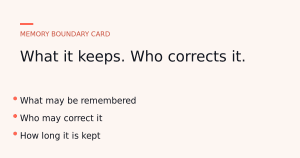
The operating rule is blunt: keep AI in Suggest until the workflow is proven, move it to Prepare when review is reliable, and reserve Execute for actions that are low-risk, logged, reversible, and owned.
The review gate that prevents silent damage
A review gate is not a vague instruction to check the AI output. It is a specific list of approvals required before the next action.
For AI-to-CMS work, use this gate before publishing or applying changes:
- Source check: Are all factual claims supported by approved inputs?
- Meaning check: Did the AI change the promise, audience, offer, or level of certainty?
- Page role check: Is this asset informational, sales-critical, legal, operational, or technical?
- Link check: Do internal and external links point where intended?
- Media check: Are images, screenshots, captions, and alt text approved?
- Permission check: Did the workflow use only data it was allowed to access?
- Rollback check: Can the team restore the previous version or undo the action?
- Owner check: Is there a named person responsible for approval?
This gate belongs inside the workflow, not in someone’s memory. If the AI prepares the draft, it can also prepare the review checklist. The human still decides whether the checklist passes.
What to automate first
Start with actions where AI improves preparation but does not control release.
The safest early use cases are usually:
- Drafting article outlines from approved briefs.
- Turning approved notes into draft posts.
- Suggesting titles and meta descriptions for human review.
- Creating internal link suggestions for an editor to approve.
- Flagging outdated content without deleting it.
- Preparing before-and-after summaries for page edits.
- Generating reviewer checklists based on the content type.
These tasks share the same pattern: AI accelerates the work before the decision point. It does not own the decision point.
Defer higher-risk tasks until the team has a working approval habit:
- Publishing or scheduling posts.
- Editing live landing pages.
- Deleting or archiving content.
- Changing menus, redirects, templates, code, plugins, or site settings.
- Uploading sensitive media or customer-related assets.
This is where many teams drift. They connect the tool, enjoy faster drafting, then slowly allow more actions without rewriting the permission model. The risk does not arrive on day one. It arrives when convenience becomes policy.
The counterargument: manual review slows the whole point down
The objection is fair. If every AI-assisted change needs the same approval process as a major website launch, the team will stop using the workflow.
The correction is not to remove review. It is to match review depth to risk.
A draft blog outline does not need the same approval path as a pricing page update. A typo fix in a draft is not the same as a change to a live service promise. A media description is not the same as uploading an unapproved customer screenshot.
Good AI operations are not anti-speed. They remove waste from low-risk work while protecting high-risk decisions. That is the balance: faster preparation, slower release when the release can hurt the business.
For a broader operator view on where AI belongs in workflows, see AI in Practice. For tool-specific evaluation habits, keep a separate lens under Tools & Teardowns.
Implementation plan: connect later, map first
Do not start by asking which AI-to-WordPress connector is best. Start by writing the permissions you are willing to defend.
- Inventory the CMS actions. List what the AI workflow might do: draft, edit, upload, publish, schedule, delete, change metadata, adjust links, update pages, or touch settings.
- Classify the assets. Separate low-risk drafts from live sales pages, legal pages, technical settings, media libraries, and campaign assets.
- Assign each action a permission level. Use allowed, draft-only, approval required, admin-only, or forbidden.
- Name the approver. Avoid “team review.” Put a role or person next to each approval point.
- Define the rollback. Before AI can change anything, know how the previous version will be restored.
- Limit data exposure. Do not upload confidential customer data, private inbox content, CRM exports, or internal documents by default. Check company policy and minimize inputs.
- Run the workflow in Suggest mode first. Let AI recommend changes without touching the CMS.
- Move to Prepare mode only after review is consistent. Drafts are acceptable; live actions still need approval.
- Review logs and mistakes. Track what the AI suggested, what humans rejected, and where the workflow needs tighter rules.
The final test is simple: if something goes wrong, can you answer what changed, who approved it, what data was used, and how to undo it? If not, the workflow is not ready for execution rights.
The operating rule
AI connected to WordPress should be treated like a junior operator with unusual speed, not like a trusted administrator. It can prepare work, surface options, and reduce manual drafting load. It should not receive broad authority just because the interface feels helpful.
The next step is practical: open a document, list every CMS action your AI workflow could take, and assign each one a permission level before connecting the tool. If the action can change what the market sees, require a human name beside it.
Where does your business actually stand?
Before you bolt on another tool, it is worth knowing whether your business runs on systems or on you. I put together a free 2-minute assessment that gives you a straight read on exactly that, and the first thing to fix. Take the free assessment.
Ready to make your AI actually reliable?
Book a diagnosis and we will map the highest-leverage fixes for your business.
Book a diagnosisSharper signal. Smarter decisions.
Join our newsletter for our best thinking on AI and systems, delivered straight to your inbox - no noise.